Phantom
LARP wallet.
Give your character 2 fictional SOL and film what happens to the dollar value when the price changes. RPWallet’s independent Phantom-style simulator runs on your phone without connecting a wallet, entering a recovery phrase or depositing funds.
iOS & Android · Solana scenes
Explore the Phantom simulator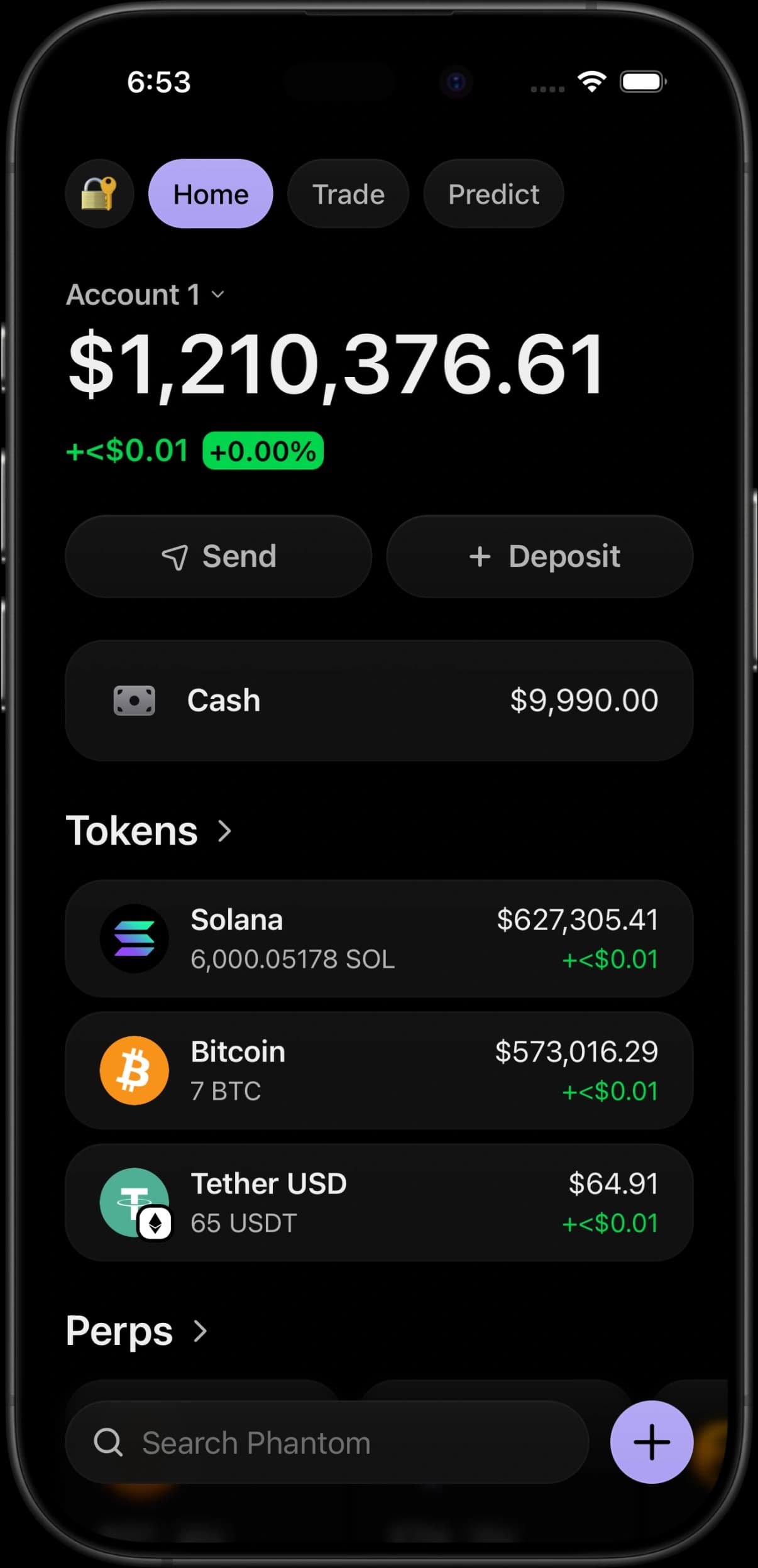
- Editable token quantities
- Custom token imports
- Simulated sends and receives
- Mobile screen recordings
Film a Solana scene in three shots
The opening shot establishes how much SOL the character owns. Cut to the price chart, then return to the same holding. Keep a “Simulated portfolio” label visible across the cuts.
Practice with Bitcoin in the free balance demoOpen on the 2 SOL holding
In Manage Tokens, choose Balances, enter 2 for Solana and save. Go back to Home. Frame the SOL quantity and its dollar value together.
Cut to the Solana chart
Tap Solana. The chart shows the price of one coin. At $100 per SOL, the character’s two coins would be worth $200. Use the quote on screen for your take.
Return to the portfolio
Return to Home and point to the quantity. It still reads 2 SOL. If the price rose to $110, the holding would be worth $220 without the character making a trade.
A few useful answers.
Can I rehearse this lesson before installing the mobile simulator?
Yes. The free browser demo lets you change Bitcoin or cash and watch the portfolio total update. It uses a fixed Bitcoin quote so you can repeat the numbers in class. The Solana balance editor and asset chart in the walkthrough are in the full mobile simulator.
Why does the dollar value differ between takes?
The mobile simulator values SOL using market prices. If the quantity still reads 2 SOL, a different quote changes the displayed value. Check the quantity first and record adjoining shots together if the exact dollar amount matters to your script.
Is RPWallet affiliated with Phantom?
No. RPWallet is an independent simulation tool and is not affiliated with Phantom. The screens and balances are for disclosed fictional content and demonstrations, never proof of real funds.
Your next step.
A different scene in mind?
Back to all LARP walletsMore Phantom pages
- Phantom Wallet SimulatorSet balances, import tokens and open a practice swap in Activity.
- Try the Phantom balance demoEdit Bitcoin or cash and see the portfolio total change on the home screen.
- Fake Phantom WalletRun it from your phone’s home screen with nothing to download.
- Phantom Wallet Screenshot GeneratorWhich screens to capture and how to keep them consistent.
- Fake Phantom Wallet BalanceSet token quantities and let the total follow live prices.
- Phantom Memecoin SimulatorCustom tokens, sub-cent prices and the Trade tab’s trending list.
- Phantom Perps SimulatorLeverage, stop losses and liquidation with simulated USDC.
- Phantom Simulator on iPhoneInstall from Safari instead of looking for an IPA file.
- What Is a Phantom Wallet Simulator?Who uses one, and what it can and cannot do.