Looking for a Phantom IPA? Skip the sideload.
You can film a Phantom-style portfolio on your iPhone without installing an IPA. Add RPWallet’s simulator to your Home Screen from Safari, then set the fictional holdings and activity you want in the shot.
Explore the Phantom simulator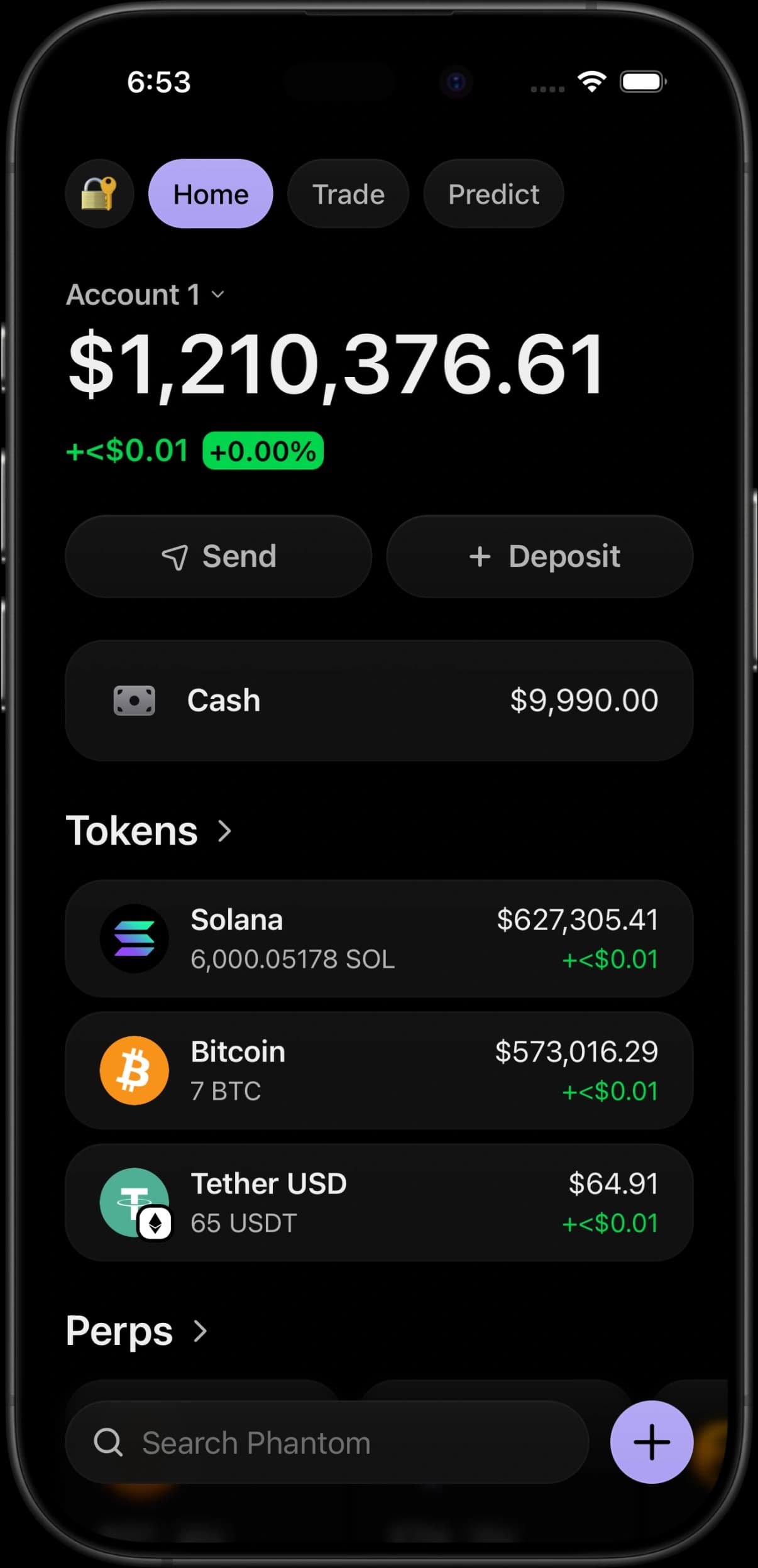
A wallet demo, without the IPA
RPWallet is independent of Phantom. Activate your license in the dashboard, open the simulator in Safari and choose Add to Home Screen from the Share menu. You won’t need a modified wallet app or a developer signature.
Less setup before your first take
An IPA is one installation route. For a simulated wallet scene, a browser-installed app removes the signing workflow.
The sideloading route
Sideloadly uses a Mac or Windows computer and an Apple ID to install an IPA. Free-account signing lasts seven days; its auto-refresh can renew it. A jailbreak is not required.
Sideloadly documentationThe RPWallet route
Install the simulator directly on your iPhone through Safari. No IPA, signing computer or developer certificate is part of this flow. Access follows your RPWallet plan, and online features still need an internet connection.
See the iPhone setup guideFilming a token close-up
If your scene follows one token, check that its name is legible in the final crop. Then rehearse the tap from the portfolio to its detail screen.
Put the lead token first
Set the fictional SOL and token quantities your script needs. Import a custom token when the scene revolves around a project or memecoin, then check its name, image and amount in the final camera crop.
Rehearse the full interaction
Open the token from the portfolio and run through the simulated send. Check that both the quantity and the token name stay in frame.
Record from the installed app
Launch the Home Screen icon so browser controls stay out of the shot. Review the displayed numbers between takes and keep the simulation label in the exported video.
From Safari to your Home Screen
Install the wallet app you selected in the dashboard, then open its icon when you are ready to record.
Open your dashboard in Safari
Go to RPWallet on your iPhone and activate your license in the dashboard. Choose the wallet app you want to install.
Add the wallet's own page
Open that app, use Safari's Share menu and choose Add to Home Screen. Enable Open as Web App when the option appears, then tap Add.
Launch and prepare your demo
Open the new Home Screen icon, complete any activation shown and set your fictional holdings. Test a short recording before filming the full scene.
Safari controls vary by iOS version. Apple's Home Screen web-app guide shows the current menu.
Phantom on iPhone: your questions
Can I download a Phantom Wallet IPA here?
No. This page offers RPWallet's independent Phantom-style simulator for iPhone. There is no IPA download and it is not the official Phantom app. For a wallet that manages real assets, use Phantom's own official channels.
Will my existing Phantom account appear in RPWallet?
No. You create the fictional portfolio inside RPWallet. Your Phantom account stays separate, and setup never asks for your recovery phrase or signature.
Can I use a custom memecoin in the iPhone simulator?
Yes. The simulator includes custom-token controls. Follow the custom-token guide for its import and pricing options, then rehearse the token detail screen you plan to show.
Why do I still see Safari's address bar?
Open the simulator from its Home Screen icon. If that icon opens the dashboard, go back to Safari, open the wallet itself and add that page. Choose Open as Web App if Safari shows the option.
Ready to build your next scene?
Choose a plan below and prepare your Phantom-style demo. RPWallet is an independent simulation tool for disclosed fictional content; it does not hold or transfer real cryptocurrency.
Another wallet in your script?
More Phantom pages
- Phantom Wallet SimulatorSet balances, import tokens and open a practice swap in Activity.
- Try the Phantom balance demoEdit Bitcoin or cash and see the portfolio total change on the home screen.
- Fake Phantom WalletRun it from your phone’s home screen with nothing to download.
- Phantom Wallet Screenshot GeneratorWhich screens to capture and how to keep them consistent.
- Fake Phantom Wallet BalanceSet token quantities and let the total follow live prices.
- Phantom Memecoin SimulatorCustom tokens, sub-cent prices and the Trade tab’s trending list.
- Phantom Perps SimulatorLeverage, stop losses and liquidation with simulated USDC.
- Phantom LARP WalletPlan a Solana scene for a skit or roleplay video.
- What Is a Phantom Wallet Simulator?Who uses one, and what it can and cannot do.